I planned a bakery launch on a Claude whiteboard. It caught a scheduling clash I never mentioned.
One chat turned a vague launch plan into a whiteboard, then I changed one date and watched Claude re-plan three boxes, including one in a different lane. Here are the exact prompts, what it got right, and what I'd double-check.
One date change re-planned 3 boxes
Level: Beginner. About 15 minutes. Whiteboards is in beta on paid Claude plans, and I used a Pro account.
Planning something with several people and deadlines usually means a messy group chat, a half-finished spreadsheet, and one person holding the whole thing in their head.
Anthropic's new Whiteboards feature in Claude promises something different: talk the plan through, and Claude turns it into a board you can move around. I wanted to see if it does that well, so I invented a small job: launching a neighbourhood bakery's autumn menu.
It's all made up, and so is every name in it. The planning problem is real, though. Three people, four jobs, dates that depend on each other.
Step 1: describe the plan in plain words
I opened a new chat on claude.ai and wrote this. You can copy it and swap in your own project:
I'm planning the launch of a small neighbourhood bakery's autumn menu: 3 new pastries, a tasting evening for 40 guests, flyers, and a social media push. We open the doors on 12 October. Let's plan it together and turn the plan into a whiteboard with a timeline, owners (me, my baker Dana, and my cousin Raj who does the design) and dates.
I didn't click any "new whiteboard" button. I looked in the sidebar and the plus menu and didn't find one. Asking for a whiteboard in the message was enough.
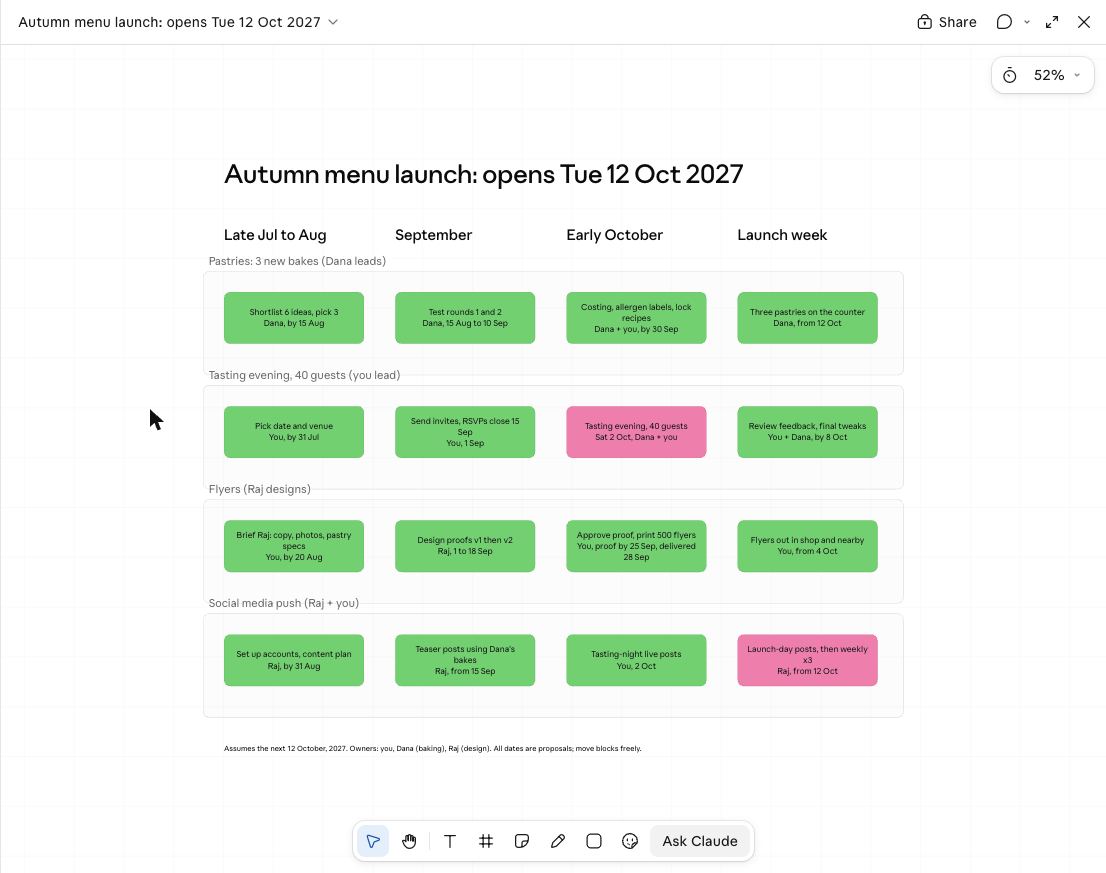
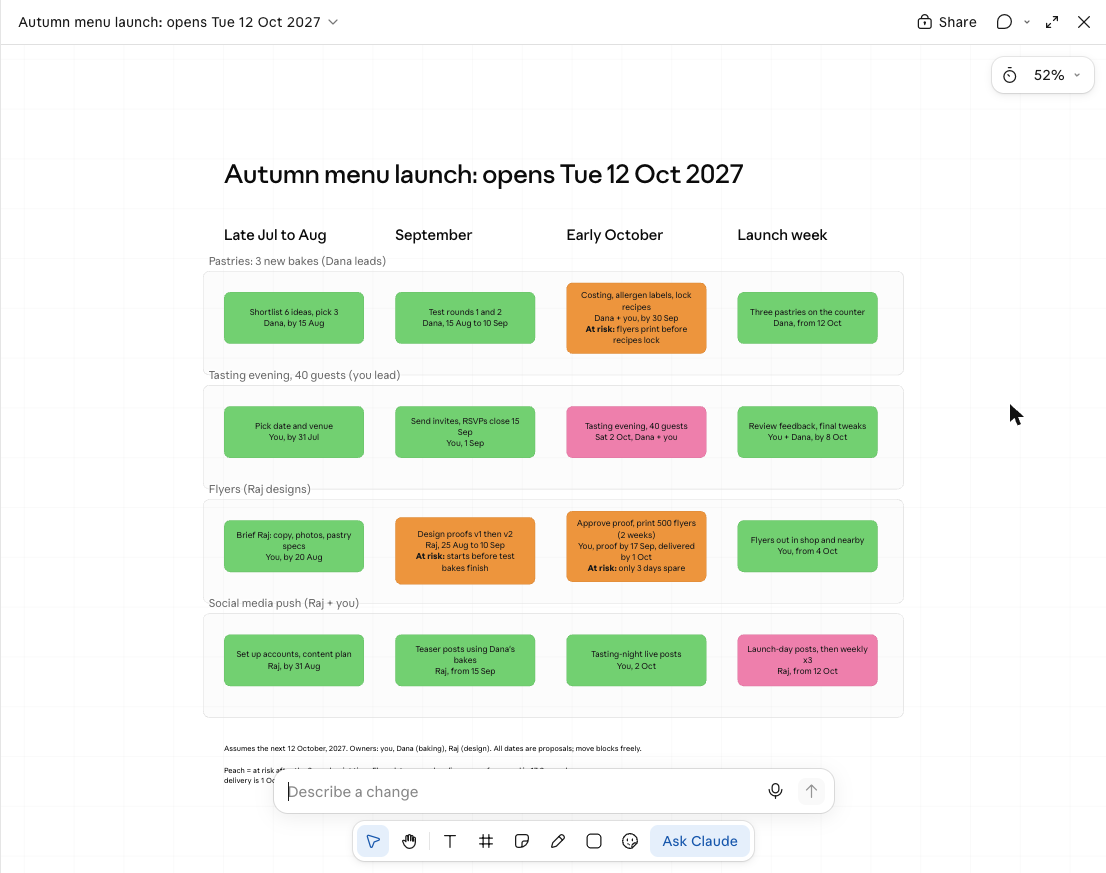
After about a minute, Claude opened a board in a panel next to the chat. Four rows, one per job. Four columns for stages of time, from late July to launch week. Each box has what to do, who does it, and by when. Most boxes are green, and a couple are pink, which seem to mark the big moments: the tasting evening and the launch-day posts.
It caught a mistake in my message
I'd typed "12 October" without a year. When I wrote this it was 19 November 2026, so 12 October 2026 had already passed. Claude noticed:
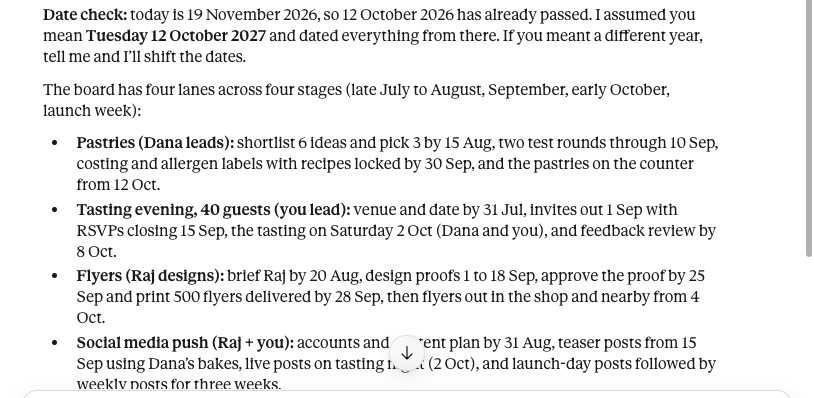
It assumed I meant October 2027, built the whole timeline from there, and told me how to fix it if I meant something else. That's a good habit in a planner. It's also a reminder to put the year in your own prompts, because otherwise you're trusting the guess.
Step 2: change one thing and watch what moves
Plans change. So I picked the row for flyers using the Ask Claude tool in the bottom toolbar. A small "Describe a change" box appears at the bottom of the board.
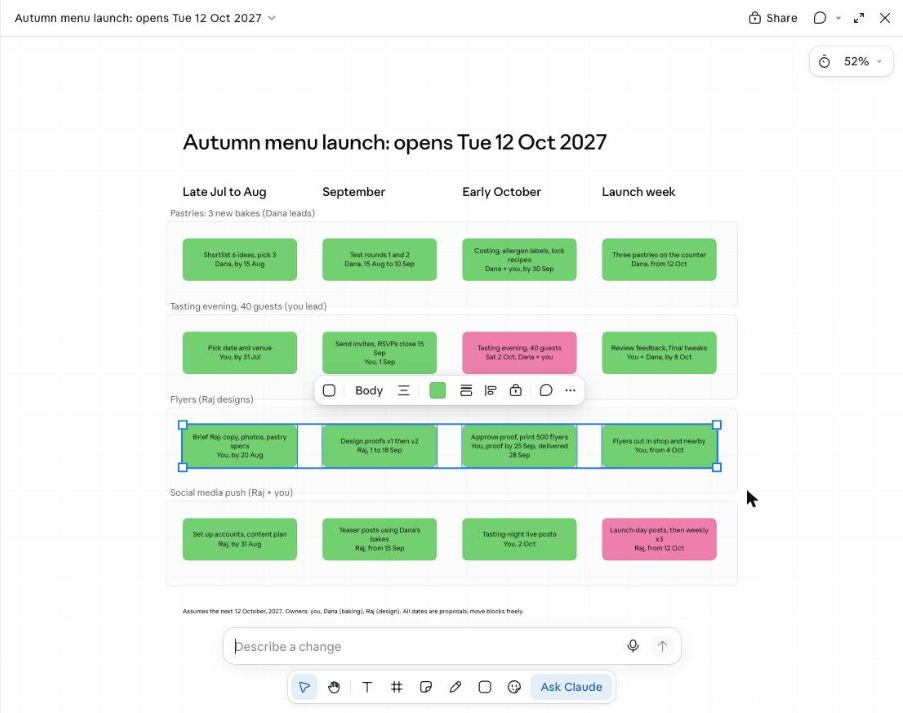
Then I told it something went wrong:
Raj says the print shop needs two weeks, not three days. Move the flyer steps so flyers are still out by 4 Oct, and mark anything that is now at risk.
Here's the board afterwards. The orange boxes are Claude's new "At risk" markings:
It did four things.
- It moved the flyer steps. Design now starts 25 August, and the proof gets approved by 17 September.
- It marked the print step as tight: "only 3 days spare."
- It flagged the design step too, because it now starts before the test bakes finish.
- It marked a box in a different row. The Pastries row now says "At risk: flyers print before recipes lock."
That last one is the reason I'm writing this. I never told Claude that the flyers show the pastries. It worked out that if the proof is approved on 17 September but the recipes aren't final until 30 September, you could print flyers with the wrong products on them. That's the kind of dependency a person tends to spot on the day the printer is waiting.
I checked the date arithmetic myself. 17 September plus two weeks is 1 October. That leaves three days before 4 October. The weekdays it quoted are right too: 12 October 2027 is a Tuesday, and the tasting on 2 October is a Saturday.
Step 3: turn the board into something you can send
A board is nice for thinking. Dana and Raj need a list. So I asked in the chat:
Turn this board into a one-page checklist I can send to Dana and Raj. Group it by person, list the dates, and put the at-risk items at the top.
Claude made a document, with the three risks first, then a section for each person with their dates:
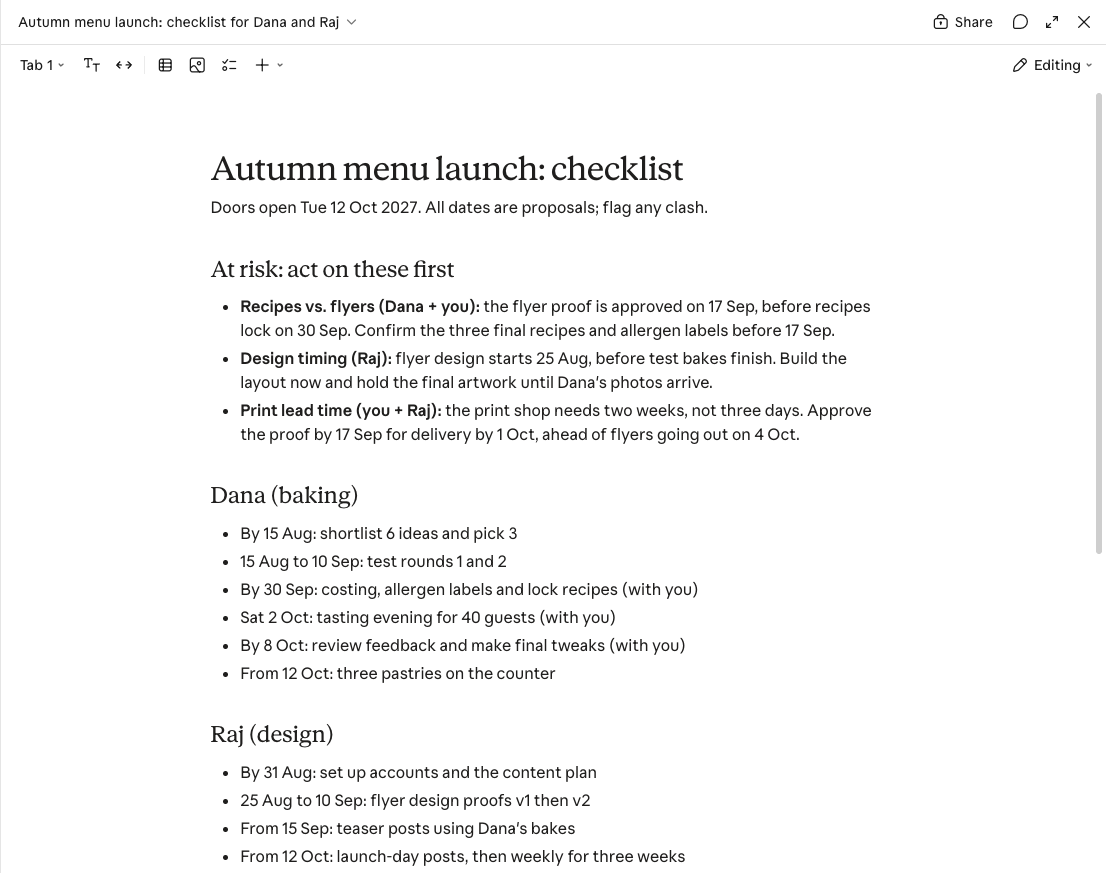
It also said something I liked: "I haven't checked how the doc renders." I looked, and it was fine. But I'd rather a tool admit what it hasn't checked than claim everything is perfect.
What I'd double-check before trusting a plan like this
Claude filled in gaps with sensible guesses, and not all of them were mine. I never said "500 flyers," "RSVPs close 15 September," or "two test rounds." Claude invented those and put a footnote on the board: "All dates are proposals; move blocks freely." Read it as a first draft from a very organised assistant, not as your plan. Fix the numbers that are wrong for your real project.
A few more honest limits:
- One run. I did this once, with made-up details. A real project with real people will be messier.
- Teamwork is untested. The feature is built for sharing a board and working on it live with colleagues. I used it alone, so I can't say how that part feels. Exporting to tools like Miro isn't covered either.
- It's a beta. Anthropic calls Whiteboards a beta, so expect it to change.
- Default model. I used my account's default model (Haiku 5.5 on low effort). It's part of the plan, so there was no extra charge.
Try it on your own project
- Describe the project in a few sentences. Include the year, the people, and any hard deadline.
- Ask for "a whiteboard with a timeline, owners and dates."
- Change one thing that could really go wrong, such as a supplier taking longer, and ask Claude to "mark anything that is now at risk."
- Look at the orange boxes, especially any that are in a different row from the thing you changed.
- Ask for a checklist grouped by person and send that, not the board.
The most useful moment for me wasn't the pretty board. It was changing one date and being shown, in orange, what that date quietly broke.
Sources
- https://claude.com/resources/articles/sheets-whiteboards-data
Editorial note: We ran the steps in this guide ourselves and the screenshots come from those runs. Your results may differ with your plan, model or settings, so check anything important. Cover illustrations are AI-generated. Discovia is independent and not affiliated with Anthropic.
New guides and tools
Hands-on Claude guides, straight to your inbox
Step-by-step walkthroughs of what's new in Claude and Anthropic's tools, with real screenshots and honest results, including what didn't work. No hype, no jargon, no noise.
By subscribing, you agree to receive newsletter and marketing emails, and accept our Terms of Use and Privacy Policy. You can unsubscribe anytime.
Everyday Claude
Practical guides to the Claude apps: chat, connectors and artifacts, checked against real numbers.
More Claude Apps guides →