I connected Claude to Google Drive and asked which supplier is cheaper. It found three traps I'd hidden in my files.
Three scattered documents, three different units, and a few buried gotchas. Claude read them straight from Drive and caught every trap, plus one arithmetic slip I only found by checking. Here's the setup, the prompt, and what access you're really handing over.
4 of 4 traps caught, plus 1 arithmetic slip I found
Level: Beginner. About 15 minutes. Works on paid Claude plans, and I used a Pro account.
Most of the useful information in a small business sits in documents nobody wants to open together. A price list here, an email quote there, a page of notes from a phone call.
Claude can now read those directly from your Google Drive, without you copying anything into a chat. That's what a "connector" does. I wanted to know if it's actually useful, and how much access you're giving up to get it. So I set up a small test with traps in it.
The test: which supplier is cheaper?
I invented a bakery buying flour, butter and sugar from two suppliers, and put three Google Docs in a Drive folder called "Bakery demo":
- Supplier A's price list, with prices per bag or block.
- Supplier B's quote, written as an email, with prices per kilo for butter but per bag for flour.
- Notes from supplier calls, mentioning the bakery's monthly usage and two details that change everything.
The traps were in the small print. Supplier B has a 10-bag minimum order for flour. Supplier A's butter is going up 8% next month. Supplier B can't deliver on Mondays, which is the bakery's delivery day. And B charges $25 delivery on orders under $300.
Everything here is invented, so nothing is anyone's real data.
Step 1: find the connectors directory
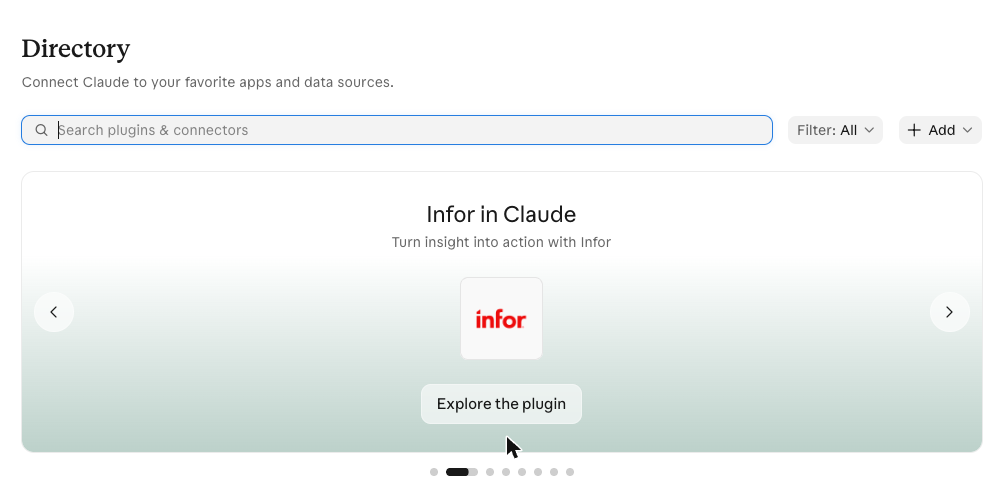
On claude.ai, go to claude.ai/directory. It's a catalogue of apps you can connect to Claude.
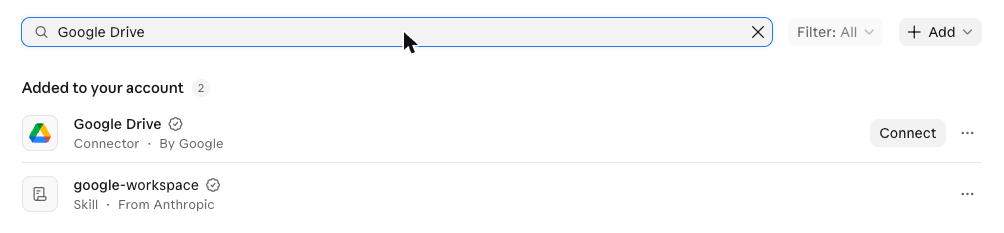
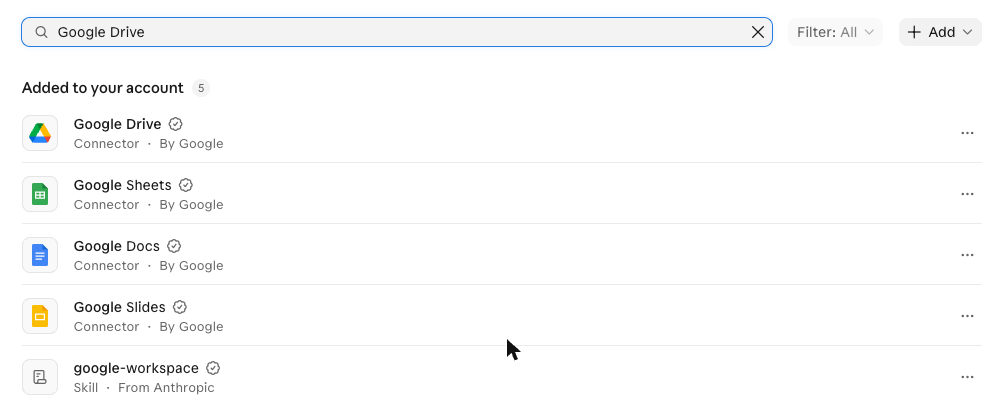
Type "Google Drive" in the search box. Drive shows up under "Added to your account" with a Connect button, because it's available to you but not yet linked:
Step 2: choose what to connect, and read the dialog
Clicking Connect opens a dialog:
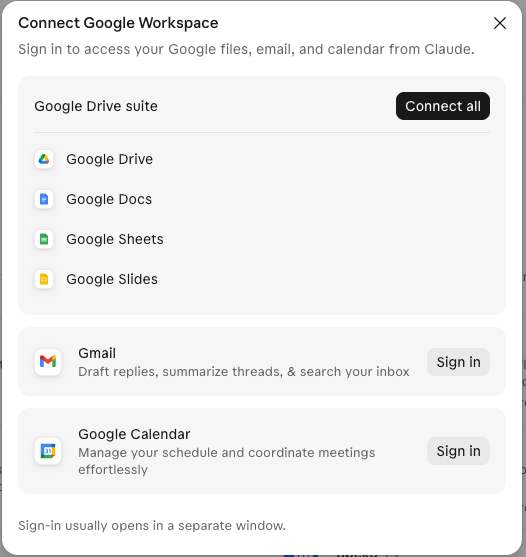
Two things to notice here.
The Google Drive suite (Drive, Docs, Sheets and Slides) connects together through the Connect all button. When I clicked the individual names, nothing happened, so I couldn't pick just one of the four.
Gmail and Google Calendar have their own separate Sign in buttons. I left both alone. If all you want is documents, you don't need your email in this.
Clicking Connect all opens a window from Google itself, where you pick the account and approve the permissions. I'm not showing that screen, because it displays your account details. The important habit: read the permission list on that screen before you click Allow, and make sure you've picked the right account if you're signed in to more than one. After that, the directory shows the connectors as added:
Step 3: ask a real question
I opened a new chat and wrote this. Notice I named the folder, which keeps Claude to the files I want:
Using Google Drive, look only in my folder called "Bakery demo". Compare Supplier A and Supplier B for flour, butter and sugar, per kilo, using my monthly usage from my call notes. Tell me which supplier I should buy each item from and what it costs per month. Is there anything in my notes that changes the answer? Show the maths.
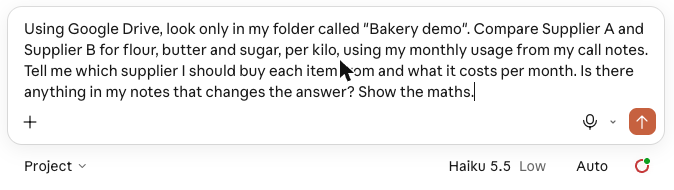
Two habits make this work: name the tool ("Using Google Drive") and show the maths, so you can check it.
What came back
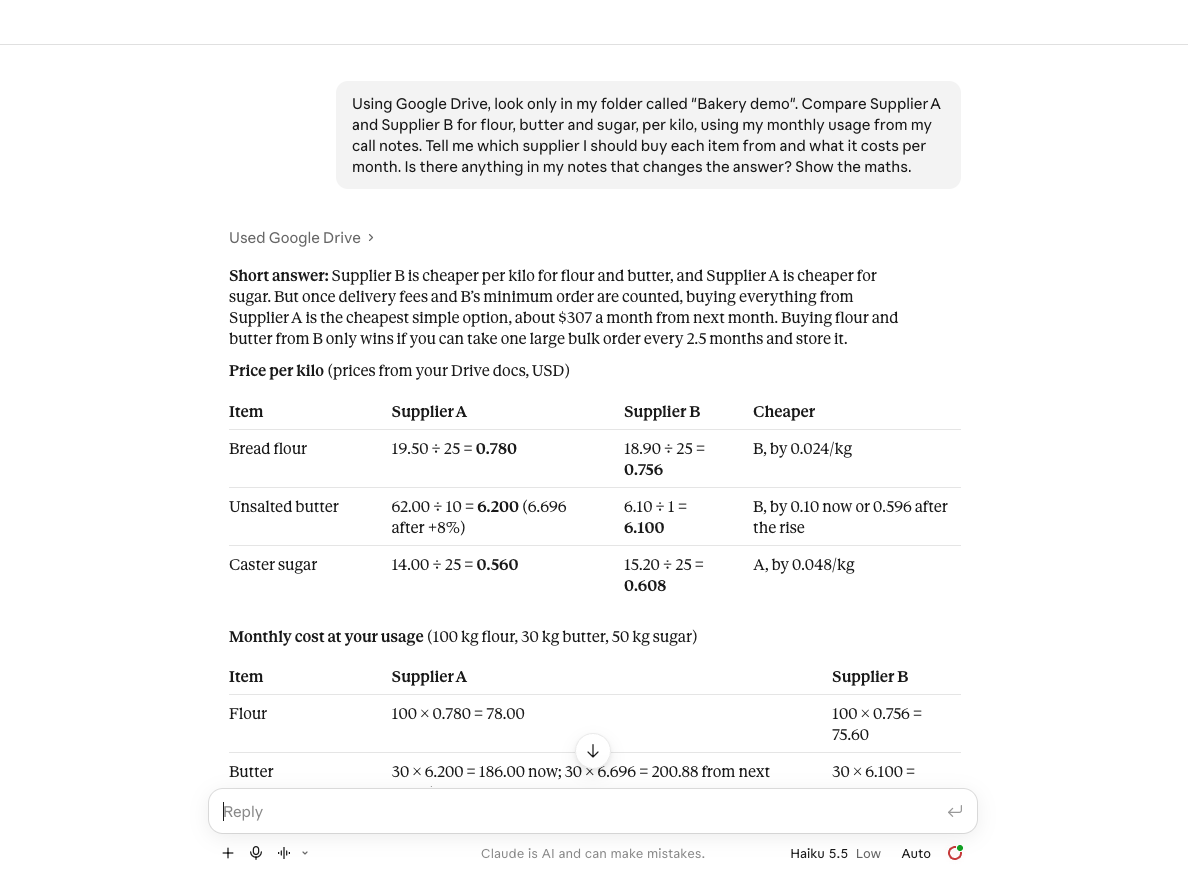
It took under a minute. Claude searched my Drive, read all three documents, and answered with a table of prices per kilo, a monthly cost for each supplier, and a recommendation:
The part I cared about was whether it would find the traps. It found all four:
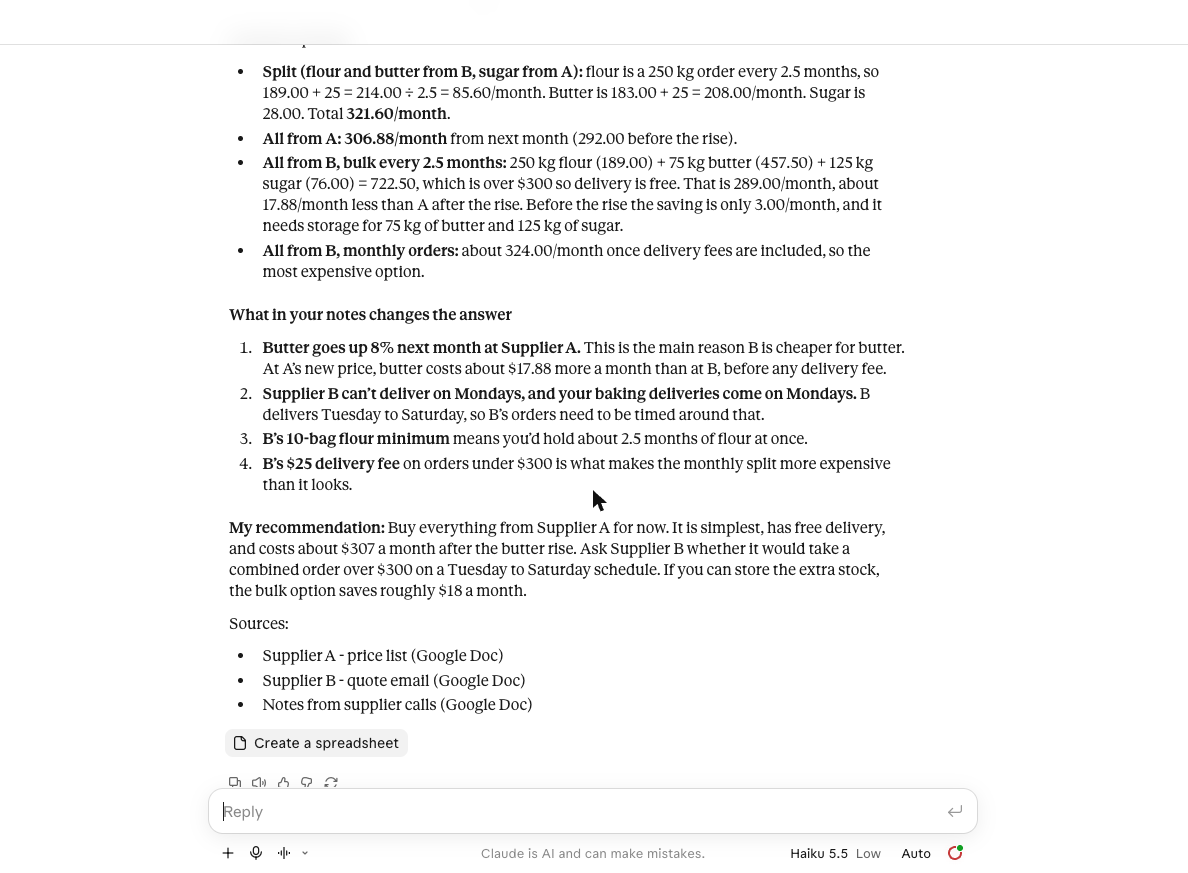
- The 8% butter rise at Supplier A. It worked out butter at $6.696 a kilo from next month.
- The Monday delivery clash. It pointed out that Supplier B can't deliver on the day the bakery receives deliveries.
- The 10-bag flour minimum. It noticed that's 250 kg, about two and a half months of flour, so B's cheaper flour price only works as a bulk order.
- The $25 delivery fee under $300. It used that to explain why splitting orders between suppliers looks cheaper than it is.
Its recommendation was to buy everything from Supplier A for now, at about $307 a month after the butter rise. That's the answer I'd defend, too. And it listed its three sources by name, so you can see exactly what it read.
I checked its maths. Here's what I found
Because I'd asked it to show the working, I could recompute everything from my own numbers.
- Per-kilo prices: all correct (flour 0.780 vs 0.756, butter 6.200 vs 6.100, sugar 0.560 vs 0.608).
- Monthly costs: all correct (Supplier A $292 now and $306.88 after the rise, Supplier B $289).
- The split-order and bulk-order scenarios: correct, including the $17.88 a month saving on a bulk order.
One line was wrong. It said buying everything from Supplier B in monthly orders would cost "about $324 a month" and called that the most expensive option. By its own logic it should be $289 plus $25 delivery, which is $314. That scenario also ignores B's flour minimum, so it isn't something you could actually do. It doesn't change the recommendation, but it's exactly the kind of slip you'd miss if you took the answer on trust.
That's the real lesson. The AI did the boring work of reading three documents and doing the sums. A person still needs to spot-check one or two numbers.
What you're actually giving access to
I want to be straight about this, because the convenience hides a real decision.
The connector can read the whole Drive of the account you connect, not just the folder you name. My prompt told Claude to stay in one folder, but that was a request in the message, not a limit on the access. Connect an account that holds your private files and you've given Claude the ability to read them when it searches.
So:
- Use an account whose Drive has nothing you'd mind Claude reading, or a clean one for testing.
- Name the folder in your prompt anyway. It keeps answers focused.
- When you're done experimenting, remove the connection. In the directory, the connector has a three-dot menu next to it. Google also lists apps with access to your account in its security settings, where you can remove Claude too.
Make it work for you
- Put the documents for one question in one folder.
- Connect Drive from claude.ai/directory. Choose the account carefully, and read the permission screen.
- Ask a specific question, name the tool and the folder, and end with "show the maths."
- Check two numbers yourself against the originals.
- Disconnect when you've finished.
What I didn't test
- I didn't connect Gmail or Calendar.
- Claude offered a "Create a spreadsheet" button under its answer. I didn't click it.
- This was one run, on invented data, using my account's default model (Haiku 5.5 on low effort). It's part of the plan, so there was no extra charge.
- Real files are messier than three short documents. I'd expect more slips, not fewer.
Sources
- https://academy.claude.com/tutorials/connect-your-tools-to-unlock-a-smarter-more-capable-ai-companion
Editorial note: We ran the steps in this guide ourselves and the screenshots come from those runs. Your results may differ with your plan, model or settings, so check anything important. Cover illustrations are AI-generated. Discovia is independent and not affiliated with Anthropic.
New guides and tools
Hands-on Claude guides, straight to your inbox
Step-by-step walkthroughs of what's new in Claude and Anthropic's tools, with real screenshots and honest results, including what didn't work. No hype, no jargon, no noise.
By subscribing, you agree to receive newsletter and marketing emails, and accept our Terms of Use and Privacy Policy. You can unsubscribe anytime.
Everyday Claude
Practical guides to the Claude apps: chat, connectors and artifacts, checked against real numbers.
More Claude Apps guides →